
English
ADB and WSL
The ADB and WSL panels are for devices that are not available through a local COM port.
ADB debugging
Open the ADB panel and click refresh to get the device list. Devices with status device can be used. A status of unauthorized means USB debugging has not been allowed on the device yet.
Select a device and open the terminal. It works like the serial terminal: type commands, watch the PTY output, resize the terminal or close the session.
The installer bundles platform-tools. The adb server is a background process that keeps files under platform-tools open, which can make an upgrade fail while the files are in use. The installer stops only adb processes whose image path is inside the app directory, so adb from Android Studio or other sources is not affected.
WSL port mapping
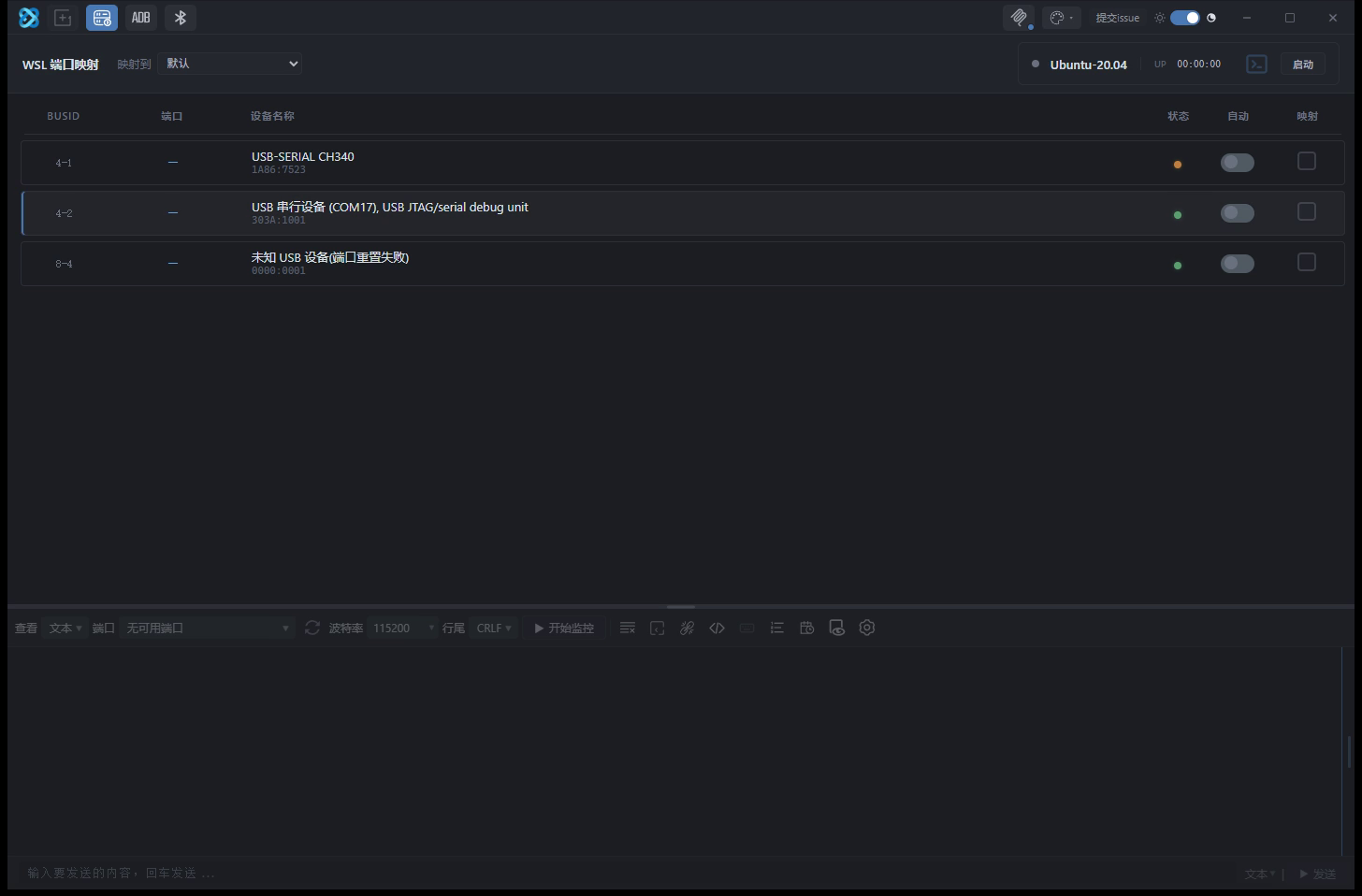
The WSL port mapping button in the title bar maps a USB serial port into WSL.
- It requires usbipd-win, which is included in the installer. Binding and attaching need administrator privileges.
- Automatic mapping and manual binding are both supported. Windows shows an authorisation dialog during binding that must be confirmed.
- After mapping, WSL should show a new
/dev/ttyUSB*or/dev/ttyACM*device.
Debugging from a WSL pane
A WSL pane can open a serial port inside WSL and send or receive data directly. It uses a Python bridge with a persistent shell to avoid process startup overhead on every operation.
The Launch button opens the distribution in Windows Terminal. The distribution name comes from the real output of wsl --list --verbose; if parsing fails, the panel shows the original WSL error instead of launching with a wrong name.
If read polling fails repeatedly, the pane is treated as disconnected and shows Waiting for connection. If a loop is running, it stops as well.
When sg is unavailable or the user is not in the dialout group, the bridge only uses sg when it can switch groups non-interactively; otherwise it runs python3 directly. A missing sg does not prevent startup. If the user is not in dialout, add the user to the group or attach the device through usbipd.