
English
Quick start
SeaHi Serial is a serial and Bluetooth debugging tool for Windows. This page covers installation, connecting your first serial port, and sending a command.
Requirements
Windows 10 or 11. WebView2 is usually included with the system; the installer will prompt if it is missing. USB-serial adapters need their driver installed, and the COM port should appear in Device Manager.
Install
- Open Releases and download the
.msiorSeahi-Serial-Setup-*.exe. - The installer is unsigned, so SmartScreen will warn you. Click More info, then Run anyway.
- Launch the app from the Start menu after installation.
The release page also includes SHA256SUMS.txt and a cosign .sigstore.json bundle. See Code signing and installation for verification steps.
Connect your first port
- Plug in the device.
- Pick the COM port in the toolbar. The list refreshes when devices are plugged or unplugged.
- The baud rate defaults to
115200. Choose another common value or type a custom one. - Click Start monitoring. The button changes to Stop monitoring, and data starts appearing in the output area.
Data bits, stop bits, parity, and DTR/RTS are in the gear menu.
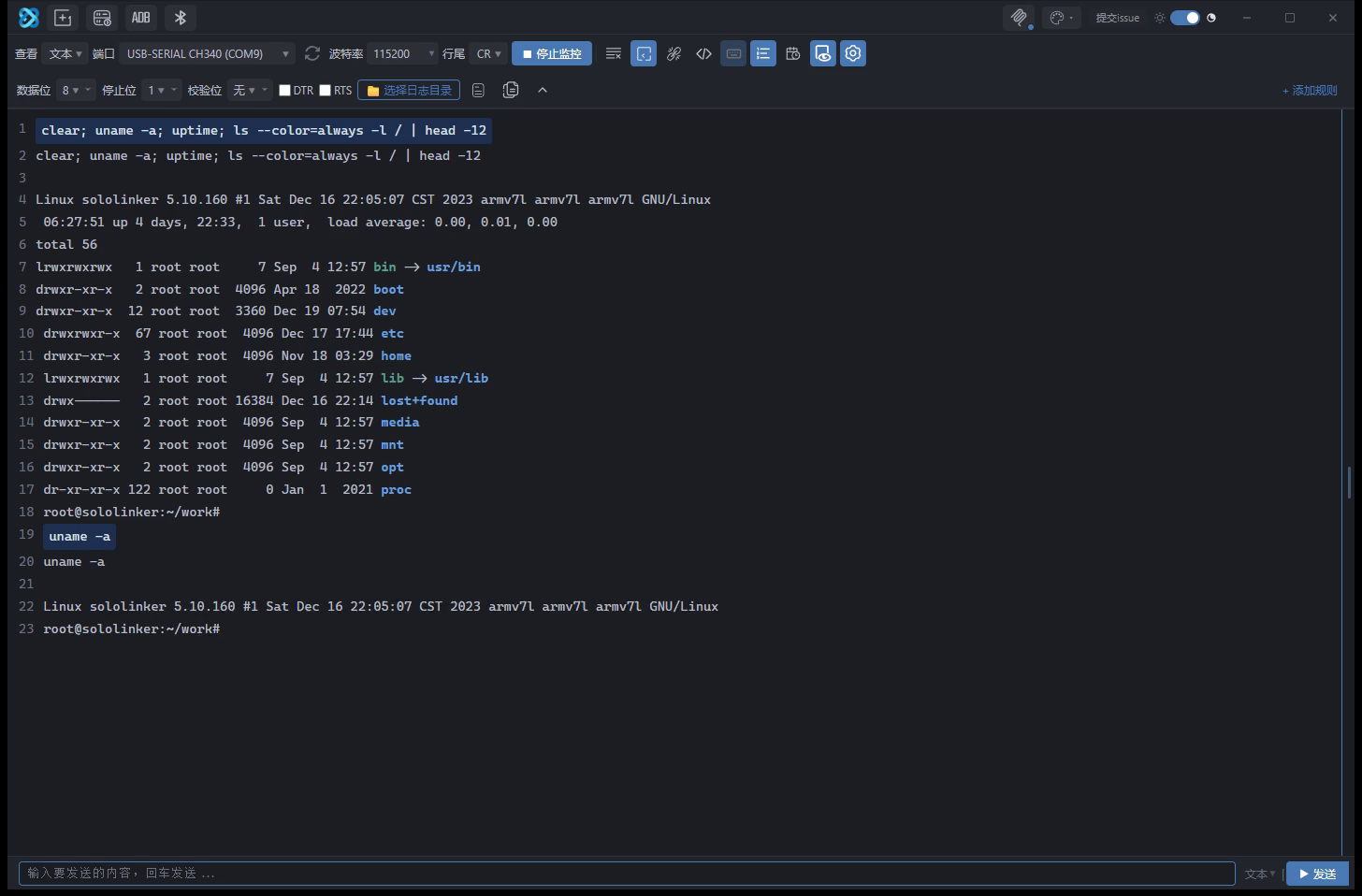
Send a command
Type in the input box and press Enter, or click Send. Text mode sends UTF-8; switch to HEX mode to send raw bytes.
Choose the line ending in the toolbar: \r, \n, or \r\n. AT commands commonly use \r\n; check the module documentation.
Each pane keeps the last 50 sent lines. Use ↑ and ↓ to browse them.
If the device does not respond, check the baud rate and line ending, and make sure no other program is using the COM port. A serial port can only be opened by one program at a time.
Logs
While a serial port is open, the app caches the session to disk, keeping the last 10 sessions:
%APPDATA%\seahi-serial\log-cache\session-<timestamp>-<port>.logUse Save log to keep a permanent copy.
Next
- Serial debugging: panes, line endings, DTR/RTS, logs, and workflows
- Terminal mode: turn the output area into a terminal
- Quick commands: send commands in repeating groups
- MCP setup: connect an AI client
- Bluetooth
- ADB and WSL