
English
Terminal mode
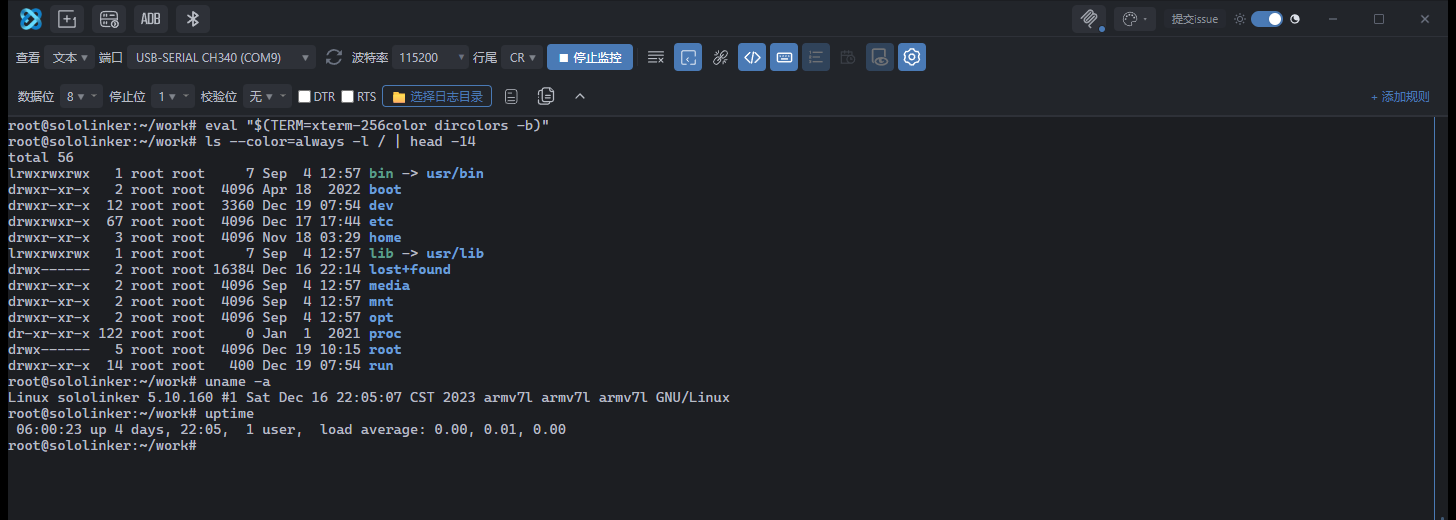
The terminal button switches the output area to an xterm.js canvas. Cursor movement, screen clearing, colours and full-screen programs are handled by xterm, so vim and top work normally over the serial connection.
Direct send and line buffering
The Line buffering button in the toolbar controls how keystrokes are sent. It is on by default for serial panes and off for WSL panes.
| Direct (buffer off) | Line buffer (buffer on) | |
|---|---|---|
| Typing | Each key is sent immediately | Keys are collected into a line locally |
| Enter | Sends CR (0x0D) only | Sends the whole line plus the toolbar line ending |
| Backspace | Sends 0x7F | Erases locally and is not sent |
| Arrow keys | Sends ESC[A/B/C/D as-is | Edits the current line locally; up/down browse history |
| Echo | Handled by the device tty | Echoed once locally |
| Tab | Sends HT (0x09) | Sends HT (0x09) |
| Best for | Linux consoles and shells | AT commands and serial protocols |
Line buffering suits AT commands. Sending key by key, pressing Enter with only \r, and sending backspace as 0x7F can all break AT command input. Line buffering collects the full line and appends the configured line ending, which is what modules expect.
If the device has echo enabled (ATE1), typed text appears twice. This is expected; use ATE0 to disable echo on the device.
Behaviour in terminal mode
- There is no local Tab completion; completion is left to the shell on the device.
- Entering terminal mode sends one carriage return so the device can print a fresh prompt. Nothing is sent when the port is disconnected.
- Previous output from the normal view is not replayed. Exiting terminal mode returns to the normal output area with its history intact.
- Line numbers, timestamps and message echo are greyed out because they only apply to the normal output view. Their state is preserved; exiting terminal mode restores the previous appearance.
- The 16-colour ANSI palette follows the current theme and shares its colour definitions with the normal output view.
- Terminal content is session-only. Closing the pane or restarting the app clears it.
Colour in the normal output view
The normal output view only parses 16-colour ANSI escapes (30–37, 90–97, bold). 256-colour and true-colour escapes are shown as plain text. Full colour support is available only in terminal mode.
Command logging
Logging every keystroke would make the log unreadable, so terminal mode records commands only:
- One entry when a line is submitted with Enter, and one when text is pasted. Both go to the
serial:<pane>:txchannel with the source set toui. - Commands recalled from the device-side readline history with
↑are not visible to the app, so they are not recorded.